Another Wednesday, another dev log entry.
I’m quite busy fabricating background graphics at the moment. Everything gets modeled in 3D first …
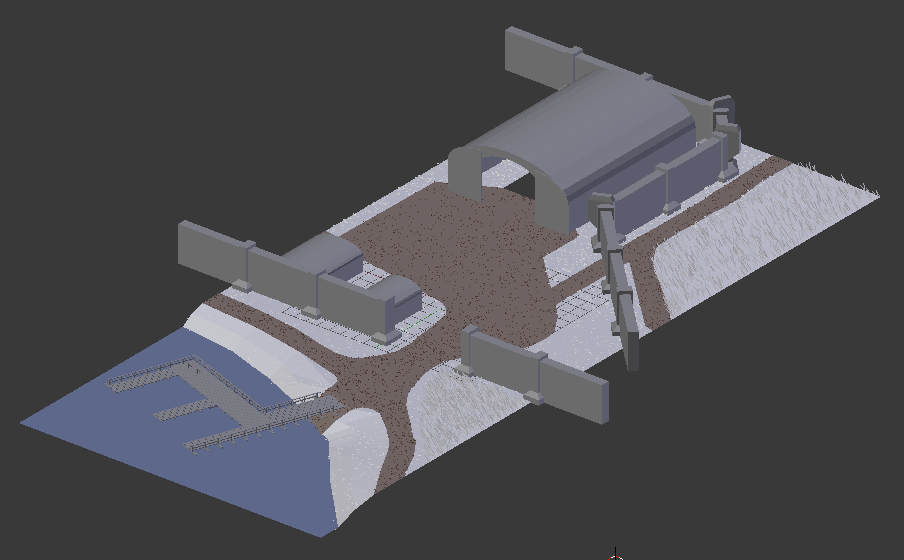
… and rendered from above afterwards:
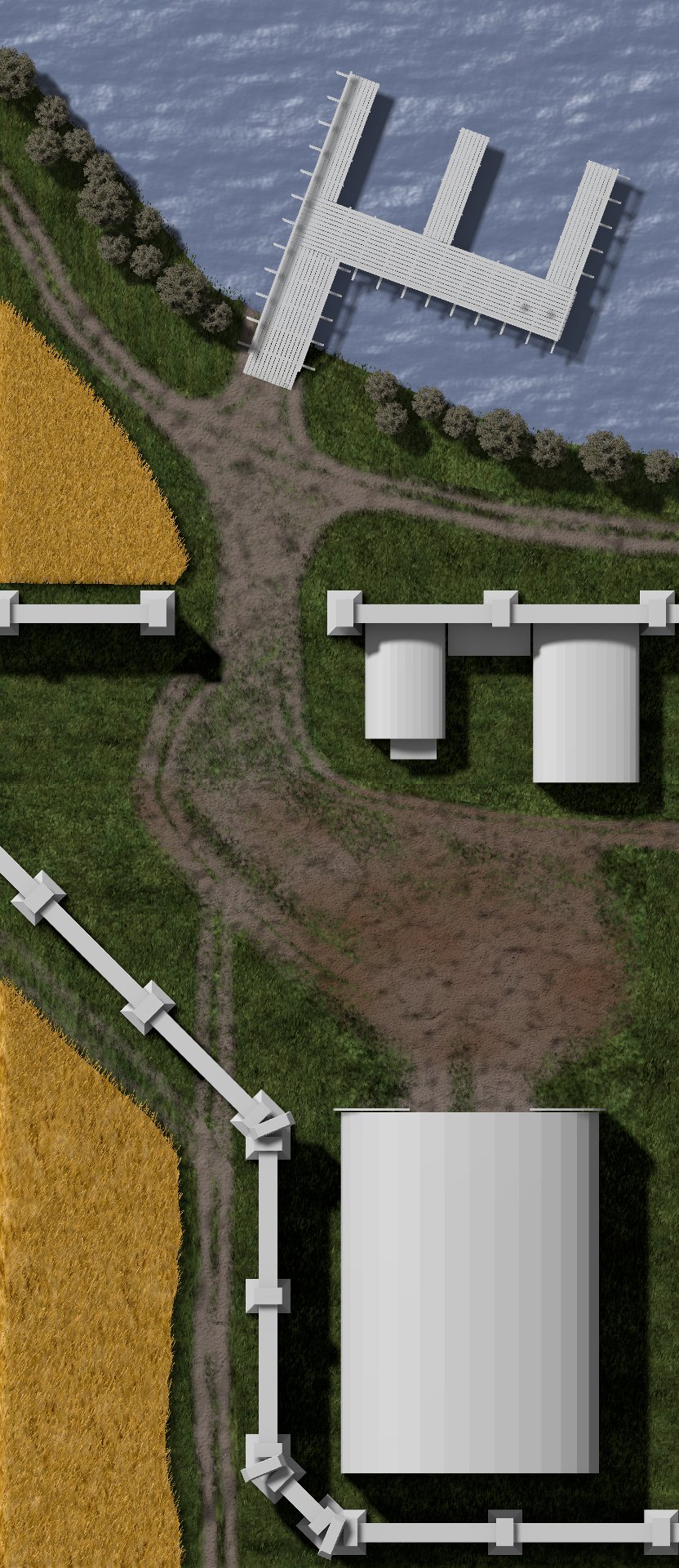
The development focus was on ground textures so far. Therefore other models like the hangar or the pier are still in their grey-box versions. But their paleness will fade within the next days.
As ever feel free to subscribe to Nordenfelt’s RSS feed or follow me on Twitter at @black_golem. New insights every Wednesday.
Cheers,
Thomas
Filed under:
Dev Log, Graphics
A new entry in the weekly development log for Nordenfelt.
This week was fully spent on level background graphics. As mentioned here I’m using rapid asset integration which brings an updated graphic to the game every hour.
This is a short, incomplete sequence of an evolving level part:
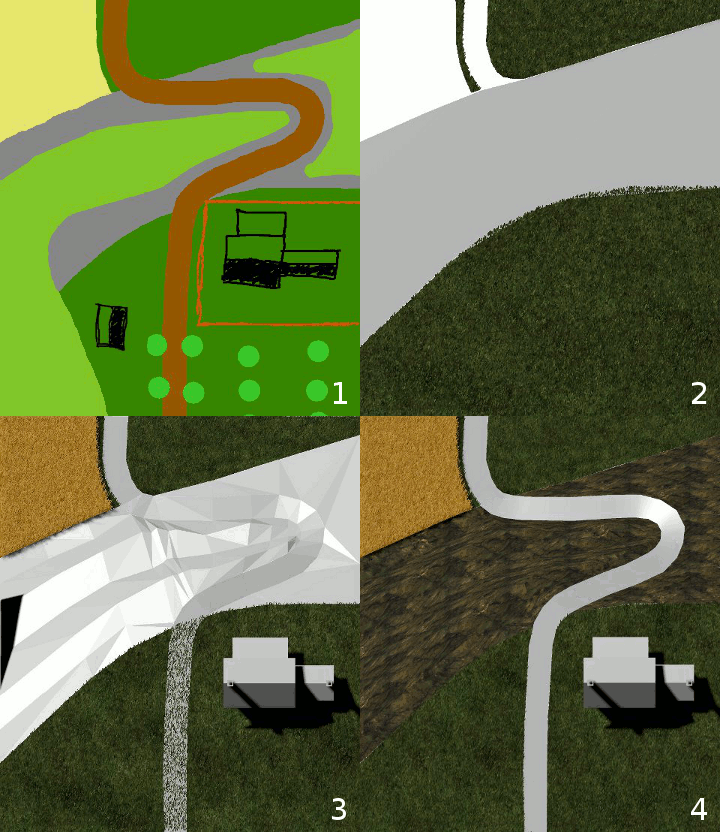
I’m happy to see the game gaining substance with these assets. Finally the imagination takes shape.
Stay tuned for more level assets and subscribe to Nordenfelt’s RSS feed or follow me on Twitter at @black_golem.
Until next week.
Cheers,
Thomas
Filed under:
Dev Log, Graphics
Here is the new Nordenfelt dev log. This week I was occupied in level asset creation and made decisions on sprite scale and tile usage.
Sorted Saving Order
The editor did not sort the sprites in background layers while saving. Therefore hitting the SAVE button twice for the same level produced different files. This was fixed to avoid Subversion telling me that a level has changed just due to reordered sprites.
Stamp Design for Level 1
As mentioned here I start most of my design work with stamp-sized sketches.
This will become level 1:

Click to see the full sketch!
Scale Factor
The top-down view includes decisions regarding perspective: How far away is the ground? What’s the sprite scaling factor? A high factor results in more details on the floor and turrets, tanks and boats would become very small. I want less detail work and big enemies.
So: the closer the better.
Tiles or Segments?
Nordenfelt’s engine allows using tiles as well as sprites at arbitrary positions. My first intention was to use tiles for saving RAM, harddisk space and artistic effort. What I did not know was that tiles are quite hard to draw when they should not look boring or gridy. Artistic freedom is less restricted with level segments. They are like tiles but spanning over the whole play field width. Segments are easier to draw, don’t need seamless edges and move the level building work over to Blender. This tool became second nature to me so I’m happy to work with it most of the time now.
Level Segment Prototyping
According to this article I made quick-and-dirty asset prototypes and threw them together in Blender. This is a first draft of a farm level segment:
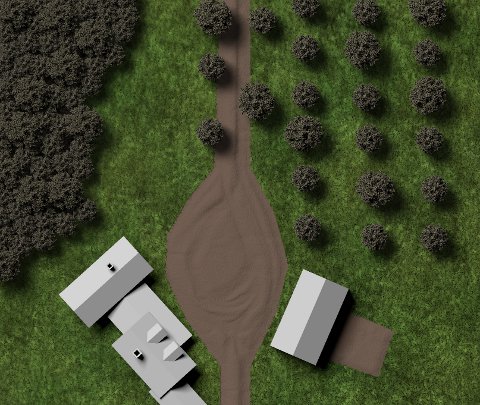
The farm houses don’t have colors, the trees have all the same color and there is a chocolate river instead of a street. That’s prototyping!
If you like this dev log series you may want to stay tuned by subscribing to Nordenfelt’s RSS feed or following me on Twitter at @black_golem.
See you next Wednesday.
Cheers,
Thomas
Filed under:
Dev Log, Graphics
Here is the new Nordenfelt dev log. The last few days were devoted to level assets so I can show you some pictures.
Thank god there’s no more bug shit.
Collected Reference Material
Photos and videos are very important for creating assets. They give new ideas, serve as modeling templates and are guidance for animations. Further you no longer have to fudge new ideas. Adapting existing stuff is easier and faster than coming up with something completely new.
Collected Free 3D Models
Models for detail sprites like trees, bushes, stones, crates or barrels are freely available on the net. They are not worth the effort making them yourself. Therefore I’ve inspected some sites like www.turbosquid.com and got all those tiny give-away things useful for my game.
Farm House Modeling
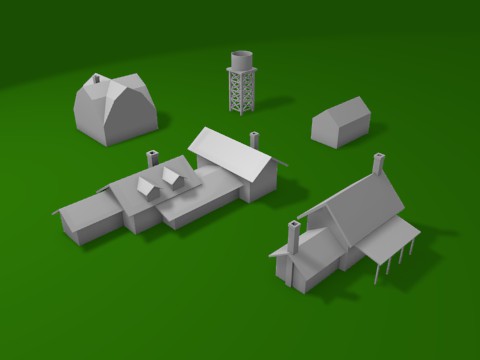
Nordenfelt‘s first level has a rural area with farms and fields. The first models I made for it were some farm houses without textures or colors:
The models are low-poly because they don’t need more details in the game:
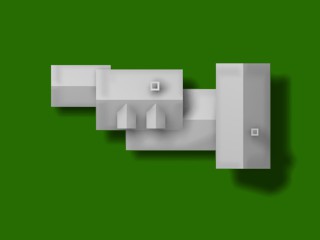
Integrating assets ASAP is quite helpful to not waste time on details nobody will ever see.
Field Modeling
There will also be fields of grain, corn or simple grass. This is the first grass tile test done with Blender:
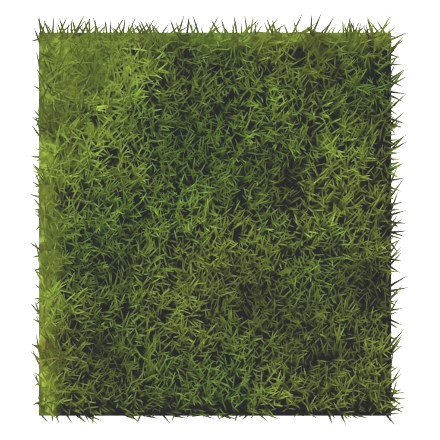
Showing asset work is always satisfying. It gives me this fuzzy feeling of progress. Good for the soul.
The coming days will also be spent on level assets. I’m wondering if I can show you an ingame video next Wednesday. So be sure to subscribe to Nordenfelt’s RSS feed or follow me on Twitter at @black_golem to not miss the next dev log entry.
Cheers,
Thomas
Filed under:
Dev Log, Graphics
This Wednesday I have just two points: a new enemy model and a really nasty bug.
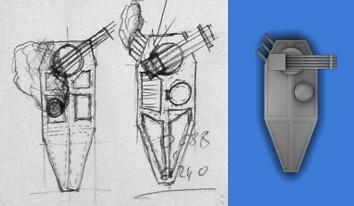
New Cannon Boat
This is the first nautical vehicle in Nordenfelt:
Hunting a Stealth Bug
Adding exhaust particle effects to the cannon boat unveiled a curious bug. Check out the following two screenshots:
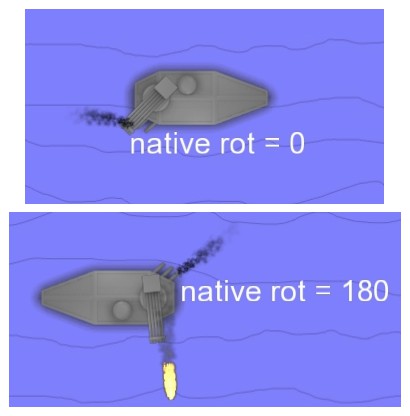
The upper image shows a boat heading from left to right. In this case the unit has no rotation as the debug display “native rot = 0” tells. The lower image shows the same boat pointing in the opposite direction, the unit has a 180 degrees rotation. Now compare the orientations of the exhaust particles relative to the boat orientations. Can you see the failure?
Today is the fifth day I’m chasing this damned bug. It’s a really tough beast. Hopefully it will be squashed soon to go on with more interesting stuff to show next Wednesday.
In the meantime feel free to subscribe to Nordenfelt’s RSS feed or follow me on Twitter at @black_golem.
Cheers,
Thomas
Filed under:
Dev Log, Graphics
Another Wednesday, another dev log entry. This happened since last week:
Fixed Particle Effect Leftover
Particle effects lost their connection to their emitters during state switches, e.g. when a plane turned left or right. Therefore they stayed on screen forever.
Added Particle Effect Orientation
Particle effect emitters can be rotated now.
Made Exhaust Fumes Data-driven
Due to the now fully data-driven particle engine it was time to replace the hard-coded smoke column of the first boss and the Kamikaze trails:
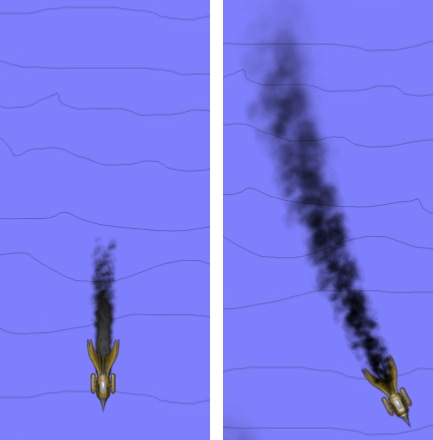
old version left, newer version right
New Exhaust Fumes
The player ship and a bomber enemy got new exhausts. Just the beginning of attaching cloud spitters to vehicles. 🙂
There was quite some work regarding particle effects this week. Next Wednesday there should be some new patrol boats tearing around.
In the meantime feel free to subscribe to Nordenfelt’s RSS feed or follow me on Twitter at @black_golem.
Cheers,
Thomas
Filed under:
Dev Log, Graphics
Let’s have a look on what happened during the last 7 days.
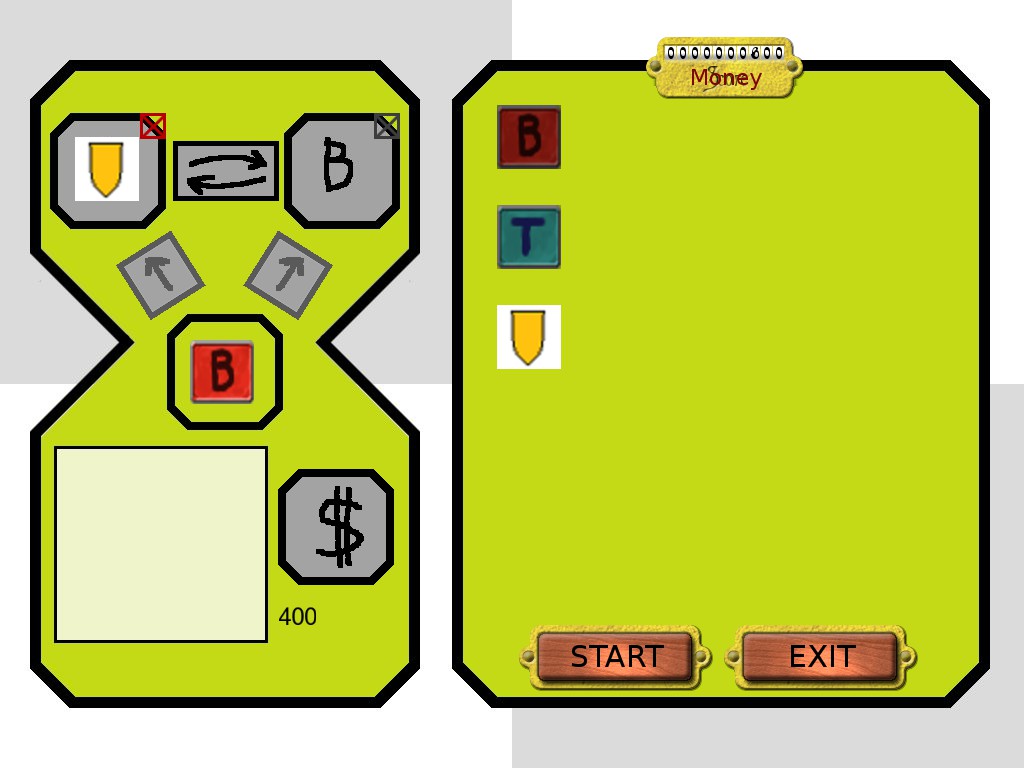
Equipment Screen Concepts
The equipment screen is still in experimental phase and therefore has just functional graphics. This is the second version I’ve made so far:
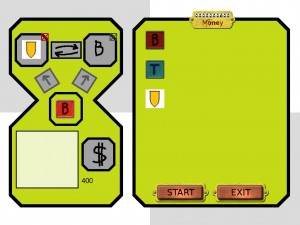
The list of available equipment is listed on the right panel. Buying and equipping the ship is done on the left panel. Everything works but it’s not as intuitive and fluent as it should be. More tweaking needed.
Live Positioning GUI Parts in Editor Mode
GUI part positions are hard-coded in Nordenfelt. This is quite bothersome when trying out different layouts. Therefore I’ve added the possibility to drag around GUI parts using the right mouse button.
Graphics Offset Bug Fixed
This was an interesting one, only visible at low frame rates. E.g. the player ship and its shield where out of sync when it was moved vertically.
Started Enemy Design
As mentioned here I’m working on replacing test graphics. The “first” model in progress, top to bottom:
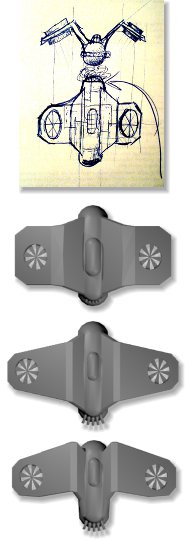
More to come.
Made Machine Exhaust Definitions Data-Driven
Due to the steampunk setting there will be many exhausts blowing out steam and smoke. Their definition is data-driven now and can be set in the corresponding XML files.
That’s it for the first regular entry in the dev log series. See you next Wednesday for dev log 2.
In the meantime feel free to subscribe to Nordenfelt’s RSS feed or follow me on Twitter at @black_golem.
Cheers,
Thomas
Filed under:
Dev Log, Graphics